Best 1 Second Everyday Alternatives in 2026 (Free and Paid)
 Allison HewellFebruary 8, 202613 min read
Best 1 Second Everyday Alternatives in 2026 (Free and Paid)
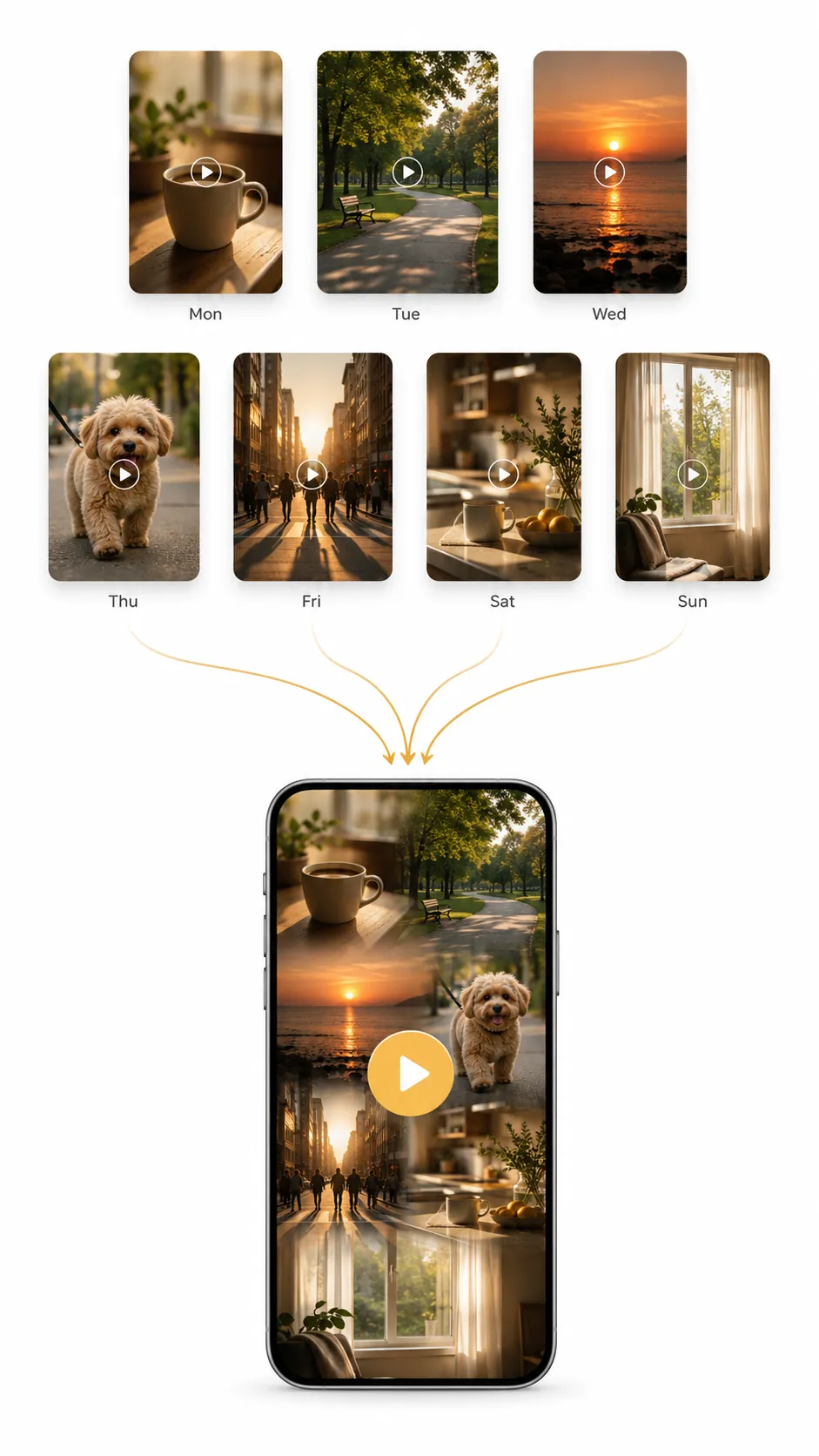
The idea behind 1 Second Everyday is beautiful. Record a short clip each day. At the end of the year, watch your life play back as a single video. Millions of people have tried it.
But many of those people are now looking for something else. Not because the concept is wrong, but because the app built around it has changed.
You should not have to pay a monthly fee to watch your own memories.
If you are here, you probably already know why you want an alternative. Here is what is out there.
Why People Leave 1 Second Everyday
The most common reasons come up again and again in app reviews, Reddit threads, and community forums.
The subscription price. 1 Second Everyday now charges $9.99 per month or $49.99 per year for Pro. Features that were previously free, like longer clips and multiple daily videos, have been moved behind the paywall. For an app that captures a few seconds a day, that cost adds up quickly.
The watermark. Free users now see a watermark on all exported videos. For many people, this was the breaking point. You do the work of recording every day, and the app stamps its logo on the result.
Export and quality issues. Android users are limited to 720p exports, even though their phones record in 4K. Audio sync problems, incomplete exports, and crashes during save have been reported for years.
Backup requires a subscription. Without Pro, there is no backup. If you lose your phone, you lose your videos. Cloud backup should be a safety net, not a premium feature.
The clipping interface. Selecting the exact second you want is harder than it should be. The selector moves during playback. The only way to preview your selection is to export the entire video.
According to a Consumer Reports study on subscription fatigue, the average American now spends over $200 per month on subscriptions. Cutting even one recurring fee makes a difference, especially when a one-time purchase does the same job.
What to Look For in an Alternative
Before picking a new app, it helps to know what actually matters.
- Pricing model. One-time purchase, freemium, or subscription? Know what you are signing up for.
- Clip length. Some apps limit you to one second. Others allow 5, 10, or even 30 seconds per clip.
- Auto-compilation. The app should turn your clips into watchable videos without manual editing. This is the difference between an app you use once and one you keep using.
- Export quality. At minimum, 1080p without watermarks.
- Cloud backup. Optional is fine. Required is a red flag.
- Platform support. Check whether the app works on your phone and whether it has a web or desktop version.
- Local storage. Your videos should live on your device by default. Cloud should be a choice.
The 8 Best 1 Second Everyday Alternatives
1. Memovi
Price: Free with 3 clips/day. Pro is a one-time purchase.
Platforms: Android (iOS coming soon)
Best for: People who want auto-compiled chapters without a subscription.
Memovi is a daily video journal app built around one idea: record a few seconds each day, and the app handles the rest. Your clips compile into daily, weekly, monthly, and yearly chapters automatically. No editing required.
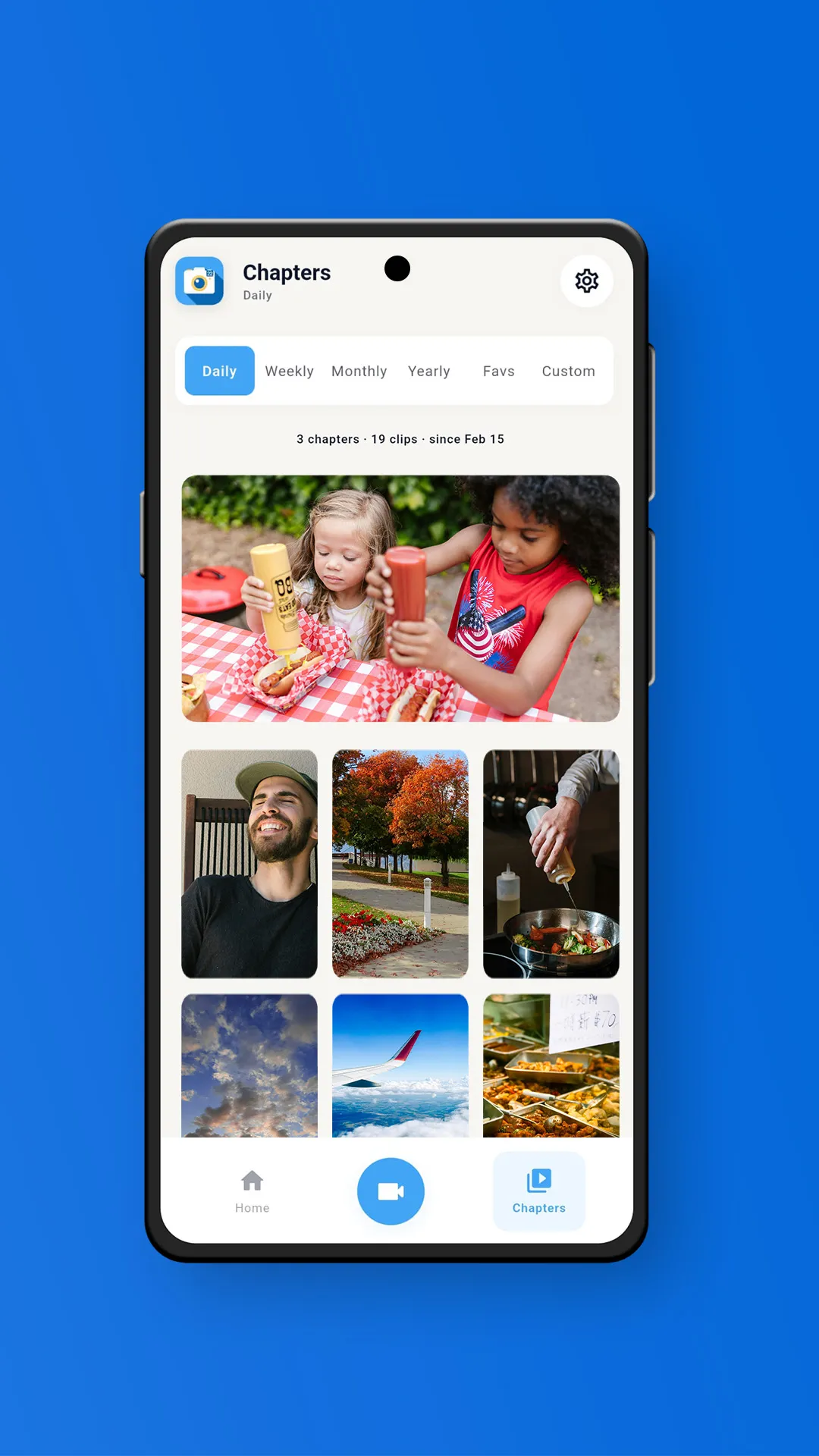
Pro is a one-time purchase. No monthly fees, no yearly renewals. Your videos stay on your device by default, and cloud backup is available as an optional add-on for people who want it.
You can also add photos to your chapters. Photos become animated clips with a smooth zoom effect, so they blend naturally alongside your videos. If you missed recording on a given day, import a video or photo from your gallery and assign it to any date.
Custom collections let you group clips by theme. A vacation, a pet, a home renovation, a baby's first year. Each collection gets its own auto-compiled chapters.
Strengths: Auto chapters across four time periods, one-time pricing, local-first storage, no watermark on Pro, photo support, custom collections with their own chapters.
Limitations: Android only for now (iOS is in development). Maximum export resolution is 1080p. No collaboration features yet.
2. One Second Diary
Price: Free and open source.
Platforms: Android
Best for: People who want a completely free, no-strings option.
One Second Diary is an open-source app that does exactly what the name says. Record one second per day, compile it into a video. No watermark, no subscription, no account required.
The tradeoff is simplicity. There is no auto-compilation, no music, no collections, and no cloud backup. You manually export your video when you want to watch it. But for users who just want the core concept without paying anything, it delivers.
Strengths: Completely free, open source, no watermark, no account needed.
Limitations: Android only. No auto-compilation. No music or editing features. Very basic.
3. Daylee
Price: Free with premium subscription.
Platforms: iOS, Android
Best for: People who want mood tracking alongside their video diary.
Daylee combines daily video capture with mood tracking, drawings, and text notes. Clips can be anywhere from 0.5 to 10 seconds. The app syncs through iCloud or Google Drive rather than its own servers.
The premium subscription unlocks longer compilations, custom themes, and additional export options. If you care as much about how your day felt as what it looked like, Daylee is worth trying.
Strengths: Cross-platform, mood tracking, flexible clip lengths, syncs through existing cloud accounts.
Limitations: Subscription required for full features. Video compilation is secondary to the journaling experience.
4. Leap Second
Price: Free (base features).
Platforms: iOS, Mac
Best for: Apple users who want collaborative video journals.
Leap Second focuses on shared memories. You can create journals that multiple people contribute to, making it good for couples, families, or friend groups. It supports Live Photos and creates monthly recap videos.
The free tier covers the basics. The app integrates deeply with the Apple ecosystem, which is a strength if you are an iPhone user and a limitation if you are not.
Strengths: Collaborative journals, Live Photo support, monthly recaps, clean design.
Limitations: Apple only (iOS and Mac). No Android version. Limited free tier.
5. Klokbox
Price: Freemium.
Platforms: iOS, Android
Best for: People who want to organize memories into themed boxes.
Klokbox takes a different approach. Instead of a linear timeline, you organize memories into "boxes" by theme or person. It supports video, photos, and voice narration. The focus is on preserving memories for the long term rather than daily capture.
The app is cross-platform and has a generous free tier. It is less about the daily one-second habit and more about building a searchable memory library.
Strengths: Cross-platform, voice narration, themed memory boxes, legacy-focused.
Limitations: Not designed around daily capture. No auto-compilation of daily clips.
6. Daily Snap
Price: $13.49/month, $39.99/year, or $99.99 lifetime.
Platforms: iOS
Best for: People who want longer clips and unlimited cloud storage.
Daily Snap allows longer clips than most alternatives and includes unlimited cloud storage with paid plans. It also has a built-in chat feature for sharing memories with family members.
The lifetime option makes it more affordable long-term than 1 Second Everyday, but the monthly and yearly prices are on the higher end. iOS only.
Strengths: Longer clips, unlimited cloud storage, lifetime purchase option, family sharing.
Limitations: iOS only. Monthly pricing is expensive. No auto-compilation.
7. Orca
Price: Freemium with Plus subscription.
Platforms: iOS, Android
Best for: People who want a gratitude journal combined with video.
Orca (previously called Happyfeed) blends gratitude journaling with video capture. You log happy moments each day alongside short video clips. "Pods" let you share entries with friends or family in a private feed.
The app leans more toward emotional wellness than video compilation. If you want daily prompts and a reflective feel alongside your clips, Orca fills a niche that pure video diary apps do not.
Strengths: Gratitude journaling, sharing pods, cross-platform, emotional wellness focus.
Limitations: Video compilation is not the primary feature. Subscription required for full access.
8. Day One
Price: Free with Premium subscription ($35.99/year).
Platforms: iOS, Android, Mac, Web
Best for: People who want a full-featured text and photo journal.
Day One is a text-first journal app, not a video diary. It comes up often in searches for 1 Second Everyday alternatives because people searching for a "daily journal app" sometimes mean text, sometimes mean video.
If you want to write about your day, attach photos, and organize entries by location and date, Day One is excellent. But it does not record video clips, does not auto-compile chapters, and is a fundamentally different tool. We include it here because the comparison is frequently searched, and it is worth understanding the distinction.
Strengths: Best-in-class text journaling, cross-platform including web, end-to-end encryption, rich media attachments.
Limitations: Not a video diary. No video recording, no clip compilation, no chapters.
Feature Comparison Table
Pricing and features can change. This table reflects what was available as of May 2026. Check each app's store listing for the latest.
How Memovi Compares to 1 Second Everyday
| Feature | Memovi | 1SE | One Second Diary | Daylee | Leap Second | Klokbox | Daily Snap | Day One |
|---|---|---|---|---|---|---|---|---|
| Price model | One-time | Subscription | Free | Freemium | Freemium | Freemium | Sub/Lifetime | Subscription |
| Free watermark | No | Yes | No | No | No | No | No | N/A |
| Max clip length | 10s | 10s (Pro) | 1s | 10s | Varies | Varies | Long | N/A |
| Auto-compilation | Yes | No | No | Limited | Monthly | No | No | No |
| Export quality | 1080p | 720p (Android) | 1080p | 1080p | 1080p | 1080p | 1080p | N/A |
| Cloud backup | Optional | Pro only | No | Via iCloud/GDrive | iCloud | Yes | Included | Yes |
| Photo support | Yes | No | No | Yes | Yes | Yes | Yes | Yes |
| Platforms | Android | iOS, Android | Android | iOS, Android | iOS, Mac | iOS, Android | iOS | iOS, Android, Mac, Web |
| Collections/tags | Yes | Projects (Pro) | No | No | Shared journals | Memory boxes | No | Tags |
Where Memovi is stronger: Pricing, auto-compilation, local-first storage, photo support, no watermark on free tier, custom collections with their own chapters.
Where 1 Second Everyday is stronger: Available on iOS, 4K export on Pro, collaboration features, longer track record.
We built Memovi because we believe a daily video journal should not cost $50 a year. But we also believe in being honest about where we are today. If you need iOS support or 4K export right now, 1 Second Everyday still delivers those. If pricing, auto-compilation, and privacy matter more, Memovi is the better fit.
Who Should Switch
Parents documenting their kids growing up. A one-time purchase means you can keep recording for years without renewals.
Travelers building visual diaries of their trips. Import clips from your camera roll for any date, and create a collection for each trip with its own chapters.
Privacy-conscious users who do not want personal videos on someone else's server. Local-first means your memories stay on your device unless you choose otherwise.
Anyone tired of subscription pricing for what should be a simple tool. Research in positive psychology has consistently shown that regular self-reflection practices, including expressive writing and visual documentation, can improve emotional well-being over time. The tool you use should support that habit, not add financial stress to it.
Frequently Asked Questions
Is there a free alternative to 1 Second Everyday?
Yes. One Second Diary is completely free and open source on Android. Memovi also has a free tier with 3 clips per day and manual chapter creation, with no watermark on playback. Several other apps on this list offer free tiers with varying limitations.
Can you use 1 Second Everyday without a subscription?
You can record and view clips on the free tier, but exported videos will have a watermark. Features like longer clips, multiple daily videos, cloud backup, and watermark-free exports all require a Pro subscription ($9.99/month or $49.99/year). Some longtime users have also reported that features they originally paid for as a one-time purchase were later moved behind the subscription.
What is the best video diary app without a watermark?
Memovi does not add a watermark on the free tier for in-app playback. Pro removes it from exports as well and is a one-time purchase. One Second Diary also has no watermark and is completely free.
Does Memovi work on iPhone?
Not yet. Memovi is currently available on Android, with iOS in active development. If you need an iOS alternative today, Leap Second, Daylee, and Klokbox are cross-platform or iOS-first options.
Can you import old videos into a new video diary app?
Most apps on this list support gallery import. In Memovi, you can pull in videos or photos from your camera roll and assign them to any past date. This means you can start building your timeline even with older footage.
What is the difference between a video diary and a text journal?
A video diary captures short video clips of your day and compiles them into watchable videos over time. A text journal like Day One records written entries with optional photos. Both are daily reflection tools, but they serve different purposes. If you want to watch your memories play back as a video, you need a video diary app. If you want to write about your day, a text journal is the better fit.
Getting Started
Memovi is available now on the Google Play Store. The free tier gives you 3 clips per day and manual chapters, so you can try the app before buying anything.
If you want the full experience, Pro unlocks auto chapters, unlimited clips, custom collections, photo support, and music. It is a single purchase. No recurring fees.
Your daily video journal should feel like something you own, not something you rent. If you are just getting started, here is a guide on how to begin a video journal.
If you are searching for a 1 Second Everyday alternative that respects your wallet and your privacy, start with the list above. Compare what matters to you. And if auto-compiled chapters, one-time pricing, and local-first storage are at the top of your list, give Memovi a try.

Allison Hewell
LPC-AContributing Writer & Mental Health Expert
Allison is a licensed therapist specializing in trauma therapy. She writes about the mental health benefits of video journaling and building healthy daily habits.
Connect on LinkedIn