10 Best Video Diary Apps in 2026 (Tested and Compared)
 Allison HewellMay 14, 202614 min read
10 Best Video Diary Apps in 2026 (Tested and Compared)
A video diary app captures short clips of your daily life and turns them into something you can watch back later. A few seconds today. A movie by the end of the year.
The concept is simple, but the apps built around it vary wildly. Some charge monthly fees for features that should be free. Others lock your videos behind proprietary cloud storage. A few get the balance right.
We looked at 10 video diary apps across Android and iOS and compared them on the things that actually matter: how easy it is to record, how the app handles compilation, what you pay, and whether your videos stay yours. New to the habit? Start with our guide on how to start a video diary.
Why Keep a Video Diary
A study from Harvard found that people consistently underestimate how much pleasure they get from rediscovering ordinary, everyday moments. The things that feel unremarkable right now become surprisingly meaningful when you revisit them months or years later.
Video captures what photos and text cannot. The sound of your kid laughing at breakfast. The way your apartment looked before you moved. How your voice sounded when you were nervous about a new job. These details fade from memory, but a five-second clip preserves them.
According to Psychology Today, video journaling is especially effective for people who find traditional written journals hard to stick with. Talking to a camera for a few seconds takes less effort than writing, and the result is richer. You see your own expression, hear your tone, and notice things about yourself that text alone would never capture.
The key is consistency, not perfection. The best video diary app is whichever one makes it easy enough that you actually use it every day.
How to Choose the Right App
Not every video diary app works for every person. Before comparing features, think about what matters most to you.
If privacy is your priority, look for apps that store videos locally on your device by default. Cloud backup should be optional, not required.
If you want the videos to compile themselves, look for auto-compilation. Without it, you are responsible for manually stitching clips together, and most people never do.
If you are on a budget, check whether the app uses a subscription, a one-time purchase, or a freemium model. A $5/month subscription costs $60 a year and $300 over five years. For an app you want to use for years, pricing model matters.
If you use Android, check platform availability carefully. Several popular video diary apps are iOS-only or treat Android as an afterthought.
If you record for your family, consider whether the app supports collections, shared journals, or longer clips. A one-second clip of a birthday party is not enough.
The 10 Best Video Diary Apps
1. Memovi
Price: Free with 3 clips/day and automatic daily chapters. Pro is a one-time purchase.
Platforms: Android, iOS
Best for: People who want auto-compiled chapters without a subscription.
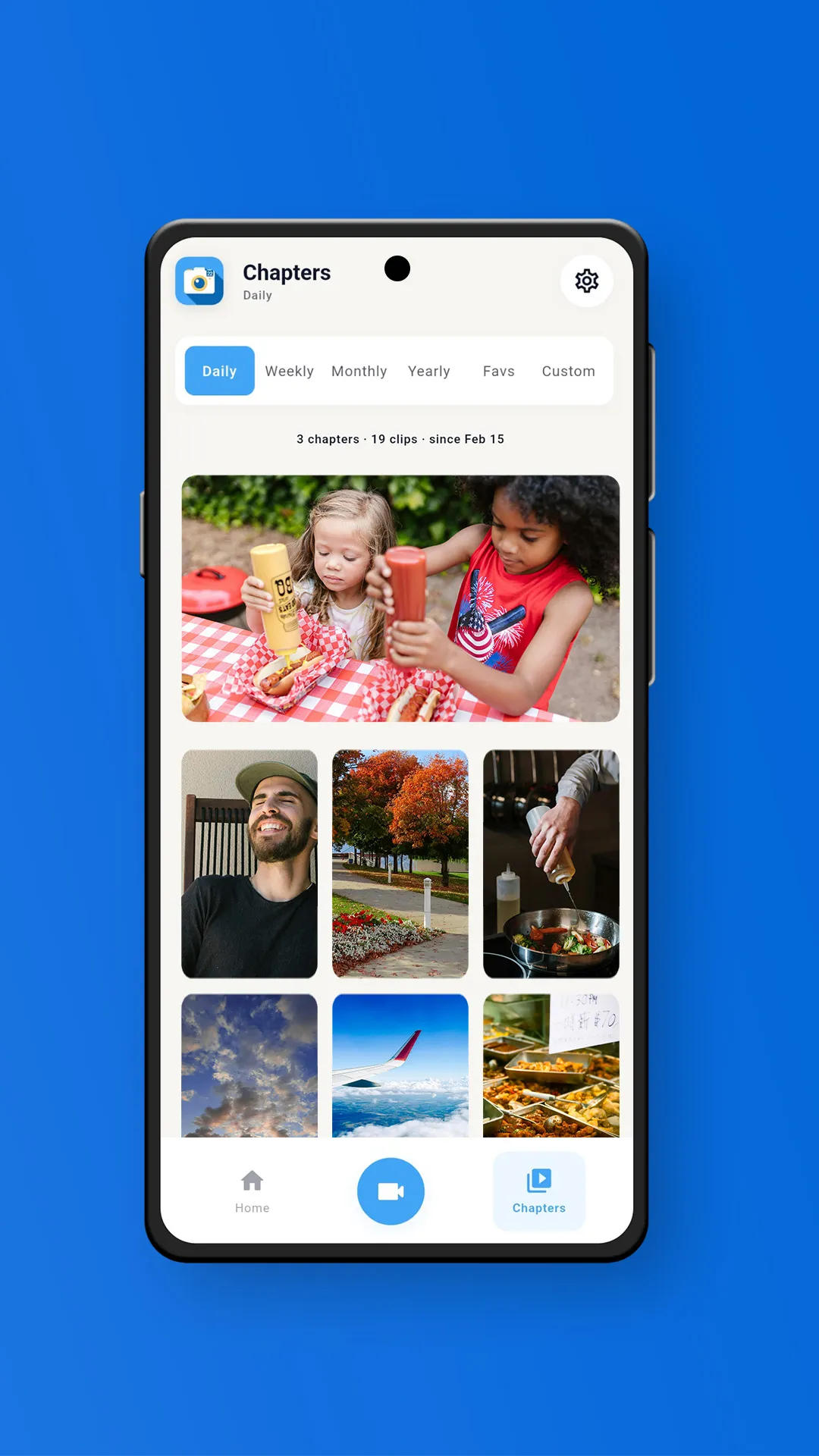
Memovi is a daily video journal built around one idea: record a few seconds each day, and the app compiles them into chapters automatically. Your daily chapter is built for you free, and Pro adds the weekly, monthly, and yearly chapters. No editing required.
Pro is a one-time purchase. No monthly fees, no yearly renewals. Your videos stay on your device by default, and cloud backup is available as an optional add-on.
You can also add photos to your chapters. Photos become animated clips with a smooth zoom effect, so they blend naturally alongside your videos. If you missed a day, import a video or photo from your gallery and assign it to any date.
Custom collections let you group clips by theme. A vacation, a pet, a home renovation, a baby's first year. Each collection gets its own auto-compiled chapters.
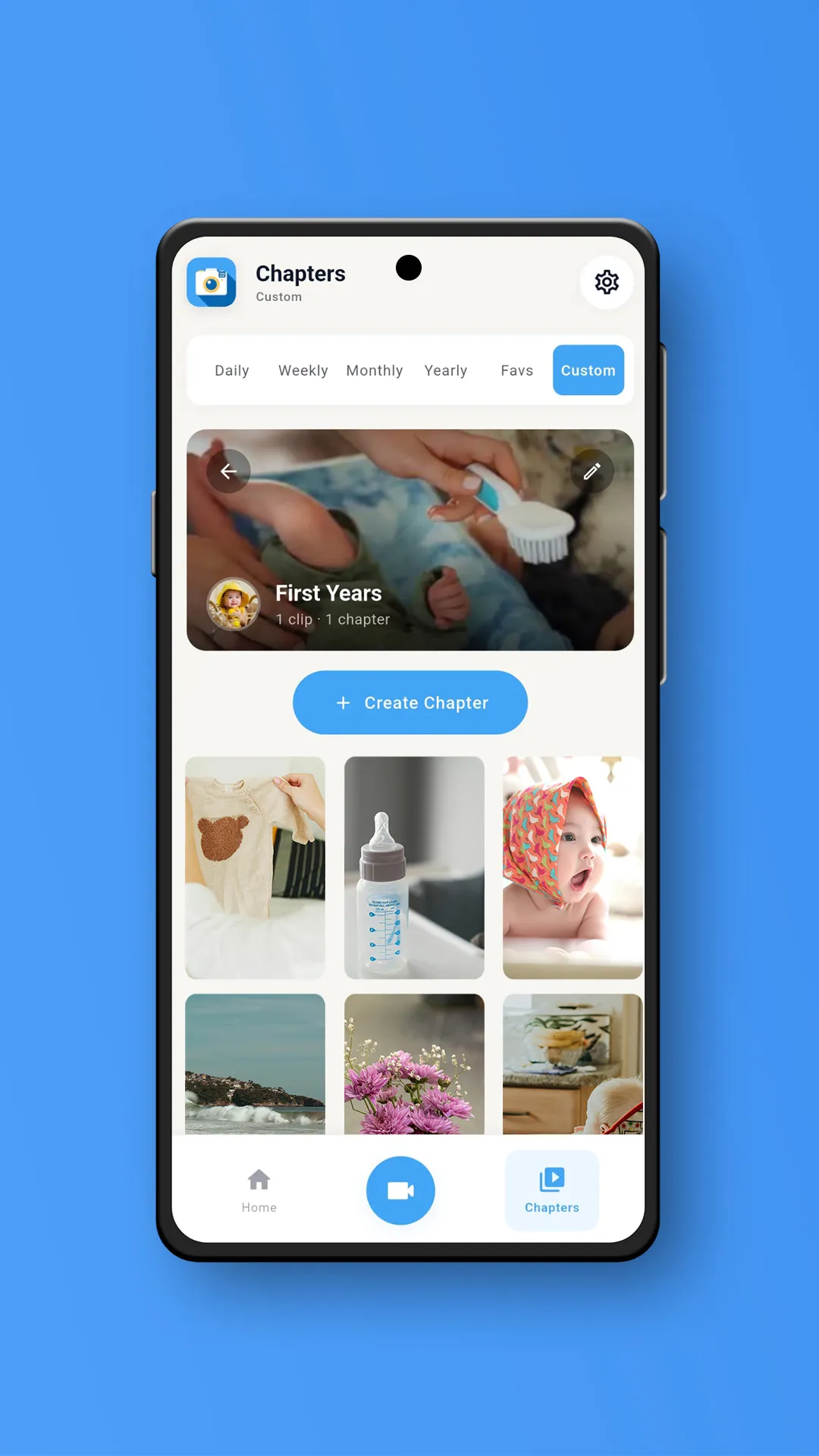
Strengths: Auto chapters across four time periods, one-time pricing, local-first storage, no watermark on exports, photo support, custom collections with their own chapters, and a memory map of where each moment happened.
Limitations: Maximum export resolution is 1080p. No collaboration features yet.
2. 1 Second Everyday
Price: Free tier available. Pro is $9.99/month or $49.99/year.
Platforms: iOS, Android
Best for: People who want the original "one second a day" experience.
1 Second Everyday started the category. Cesar Kuriyama built it after his TED talk about recording one second of every day for a year. The app has been featured by Apple, BBC, and CNN, and has won two Webby Awards.
The free tier lets you record and view clips, but exported videos include a watermark. Pro removes the watermark and adds longer clips, multiple daily videos, cloud backup, and collaborative projects. The app offers two project types: Journal for day-to-day recording, and Freestyle for events or trips.
Smart-Fill can pull clips from your camera roll to backfill missed days.
Strengths: Largest user base in the category, strong brand recognition, cross-platform, collaborative projects on Pro, two project types.
Limitations: Watermark on free exports. Android exports capped at 720p. Subscription pricing adds up over time. Some users report UI changes that made the app harder to navigate.
3. Daylee
Price: Free tier. Premium is $2.49/month, $20.99/year, or $99.99 lifetime.
Platforms: iOS, Android
Best for: People who want mood tracking alongside their video diary.
Daylee combines daily video capture with mood tracking, drawings, and text notes. Clips can be anywhere from 0.5 to 10 seconds, the widest range of any app on this list.
Cloud sync goes through your own iCloud or Google Drive account rather than a proprietary server. You keep full ownership of your data. The app also includes a map view showing where your clips were recorded and weather integration for each entry.
Premium unlocks longer compilations, custom themes, and additional export options. A lifetime purchase is available for people who want to avoid recurring fees.
Strengths: Cross-platform, mood tracking, flexible clip lengths (0.5 to 10 seconds), syncs through your own cloud accounts, map view, lifetime purchase option.
Limitations: Auto-compilation is limited compared to dedicated video diary apps. The extra journaling features may be more than some users need.
4. Orca
Price: Free tier. Orca Plus is $3.99/month or $39.99/year.
Platforms: iOS, Android
Best for: People who want a gratitude journal combined with video.
Orca (previously called Happyfeed) blends gratitude journaling with video and photo capture. You log positive moments each day alongside short clips. The app creates mashup movies from your entries, including a yearly compilation prepared each December.
Sharing pods let you contribute to a private feed with friends or family. The gratitude jar feature surfaces random past memories when you shake your phone. Weekly summaries and monthly recaps keep you engaged without needing to manually compile anything.
The app leans more toward emotional wellness than pure video compilation. If you want daily prompts and a reflective feel alongside your clips, Orca fills a niche that pure video diary apps do not.
Strengths: Gratitude journaling, sharing pods, cross-platform, yearly mashup movies, random memory throwbacks, strong App Store ratings (4.8 stars).
Limitations: Video compilation is secondary to the journaling experience. Subscription required for full access. Not designed primarily as a video diary.
5. One Second Diary
Price: Completely free. Open source.
Platforms: Android
Best for: People who want a completely free, privacy-first option.
One Second Diary is an open-source app that does exactly what the name says. Record one to ten seconds per day, compile it into a video. No watermark, no subscription, no account, no ads, no data collection whatsoever.
The app is built with Flutter and maintained by a solo developer on GitHub. It requests no internet permission, which means your videos never leave your device under any circumstances.
The tradeoff is simplicity. There is no auto-compilation, no music, no collections, and no cloud backup. You manually export your video when you want to watch it.
Strengths: Completely free, open source, no watermark, no account needed, no data collection, no internet permission.
Limitations: Android only. No auto-compilation. No music or editing features. No cloud backup. Very basic.
6. Leap Second
Price: Free tier. Yearly subscription around $63/year.
Platforms: iOS, Mac
Best for: Apple users who want 4K export and collaboration.
Leap Second focuses on quality and shared memories. You can create journals that multiple people contribute to through private links, making it good for couples, families, or friend groups.
The app supports video, photos, and Live Photos. Clips can be extended up to 5 seconds, and you can add multiple songs to a single journal. Export quality goes up to 4K, which is rare in this category.
The free tier covers the basics. The app integrates deeply with the Apple ecosystem through iCloud backup and Mac Catalyst support.
Strengths: 4K export, collaborative journals via private links, Live Photo support, multiple songs per journal, Mac app available.
Limitations: Apple only (iOS and Mac). No Android version. Yearly subscription is on the expensive side. Limited free tier.
7. Snappit
Price: Free tier. Snappit Pro subscription with 7-day trial.
Platforms: Android, iOS
Best for: People who want gamified daily recording with auto montages.
Snappit is a newer entry that records 5-second daily clips and auto-creates weekly, monthly, and yearly montages. The app uses streaks, badges, and gamification to keep you recording consistently.
Videos are stored locally for privacy. A timeline calendar lets you browse past entries quickly. The Pro subscription unlocks unlimited exports and montages.
Strengths: Cross-platform, auto montages at multiple time scales, gamification for consistency, local storage by default, timeline calendar.
Limitations: Newer app with a smaller user base. Pro subscription required for unlimited exports. Limited customization compared to more established apps.
8. Klokbox
Price: Free tier with ads. $6.99/month or about $60/year.
Platforms: iOS, Android
Best for: People who want to organize memories into themed boxes for long-term preservation.
Klokbox takes a different approach. Instead of a linear timeline, you organize memories into "boxes" by theme or person. It supports video, photos, and voice narration. The focus is on preserving memories for the long term rather than daily capture.
Two features stand out. Keyholder lets you designate trusted people who can access your memories if something happens to you. Reveal Dates let you set specific dates for time capsule reveals. These make Klokbox feel more like a digital legacy tool than a daily diary app.
Strengths: Cross-platform, voice narration, themed memory boxes, Keyholder for legacy access, time capsule reveals, family-focused.
Limitations: Not designed around daily capture. No auto-compilation of daily clips. Subscription pricing is on the higher end for what it offers.
9. Daily Snap
Price: Free tier. Subscription around $4/month or $40/year.
Platforms: iOS
Best for: People who want unlimited cloud storage and social features.
Daily Snap lets you capture one second or more each day, compile clips into a movie, and chat about individual snaps with friends. The subscription includes unlimited cloud storage, unlimited stories, and an ad-free experience.
Share story links let friends join your stories, making it more collaborative than most competitors. A calendar view helps with organizing and uploading clips. The app is built by HelloBaby, Inc., which also makes Baby Snap for family video diaries.
Strengths: Unlimited cloud storage with subscription, social chat features, collaborative story links, calendar view.
Limitations: iOS only. Subscription required for meaningful use. Smaller user base. No auto-compilation into time-period chapters.
10. Day One
Price: Free (limited). Silver $49.99/year. Gold $74.99/year.
Platforms: iOS, Android, Mac, Web
Best for: People who want a full multimedia journal, not a pure video diary.
Day One is a text-first journal app, not a video diary. We include it because the comparison is frequently searched, and it is worth understanding the distinction.
Day One is excellent at what it does. Rich text entries with photos, video attachments, audio recordings, location data, and weather information. End-to-end encryption. Cross-platform sync including a web app. The Silver tier adds video attachments (up to 3 minutes at 1080p).
But Day One does not record short daily video clips, auto-compile chapters, or create year-in-review videos. If you want to write about your day and attach occasional video, Day One is the best option. If you want a video diary that turns clips into a movie, it is a different tool entirely.
Strengths: Best-in-class text journaling, cross-platform including web, end-to-end encryption, rich media attachments, strong track record.
Limitations: Not a video diary. No daily clip recording, no compilation, no chapters. Video requires Silver subscription. Annual pricing only.
Feature Comparison Table
Pricing and features can change. This table reflects what was available as of May 2026. Check each app's store listing for the latest information.
Best Video Diary App by Use Case
| Feature | Memovi | 1SE | Daylee | Orca | One Second Diary | Leap Second | Snappit | Klokbox | Daily Snap | Day One |
|---|---|---|---|---|---|---|---|---|---|---|
| Price model | One-time | Subscription | Sub/Lifetime | Subscription | Free | Subscription | Freemium | Subscription | Subscription | Subscription |
| Free watermark | No | Yes | No | No | No | No | No | No | No | N/A |
| Max clip length | 10s | 10s (Pro) | 10s | Varies | 10s | 5s | 5s | Varies | Custom | N/A |
| Auto-compilation | Yes (4 periods) | No | Limited | Yearly mashup | No | No | Weekly/Monthly/Yearly | No | No | No |
| Export quality | 1080p | 720p (Android) | 1080p | 1080p | 1080p | 4K | 1080p | 1080p | 1080p | N/A |
| Cloud backup | Optional | Pro only | Via iCloud/GDrive | Yes | No | iCloud | No | Yes | Included | Yes |
| Photo support | Yes | No | Yes | Yes | No | Yes (+ Live Photos) | No | Yes | Yes | Yes |
| Platforms | iOS, Android | iOS, Android | iOS, Android | iOS, Android | Android | iOS, Mac | Android, iOS | iOS, Android | iOS | iOS, Android, Mac, Web |
| Collections/tags | Yes | Projects (Pro) | No | Sharing pods | No | Shared journals | No | Memory boxes | Story links | Tags |
| Privacy/local-first | Yes | No | Partial | No | Yes | No | Yes | No | No | Encrypted |
Best overall for daily recording: Memovi. Auto-compilation across four time periods means your clips become watchable chapters without any manual work. One-time pricing means you are not paying rent on your own memories.
Best free option: One Second Diary. Completely free, open source, and requests no internet permission. The tradeoff is simplicity, but for users who want the core concept without paying anything, it delivers.
Best for Apple users who want quality: Leap Second. 4K export, Live Photo support, and deep Apple ecosystem integration. The subscription is expensive, but the output quality is the highest on this list.
Best for emotional wellness: Orca. The gratitude journaling angle adds depth that pure video diary apps lack. If reflection matters as much as recording, Orca is the right choice.
Best for families and legacy: Klokbox. The Keyholder feature and time capsule reveals are unique to this app. If you are building a memory library for your children or grandchildren, Klokbox is designed for that purpose.
Best for mood tracking and travel: Daylee. The combination of flexible clip lengths, mood tracking, map view, and sync through your own cloud accounts makes it strong for people who move around a lot.
Storage and Practical Tips
Video takes up more space than most people expect. A single minute of 1080p video uses roughly 130 MB. At 10 seconds per day, a full year of clips takes about 8 GB before compilation.
Here are a few things worth knowing before you start.
1080p is the sweet spot. Unless you have a specific reason to shoot in 4K, 1080p gives you sharp video at a fraction of the file size. Most video diary apps export at 1080p anyway.
Back up regularly. If your videos live only on your phone, a lost or broken device means lost memories. Choose an app with cloud backup, or manually copy your clips to a computer periodically.
Start with shorter clips. Two to three seconds per day is enough to build a compelling compilation. You can always record longer clips later once the habit is established.
Use collections for big events. If your app supports them, create separate collections for trips, milestones, or projects. This keeps your main timeline clean and gives you focused compilations for each theme.
Video Diary vs. Photo Journal vs. Written Journal
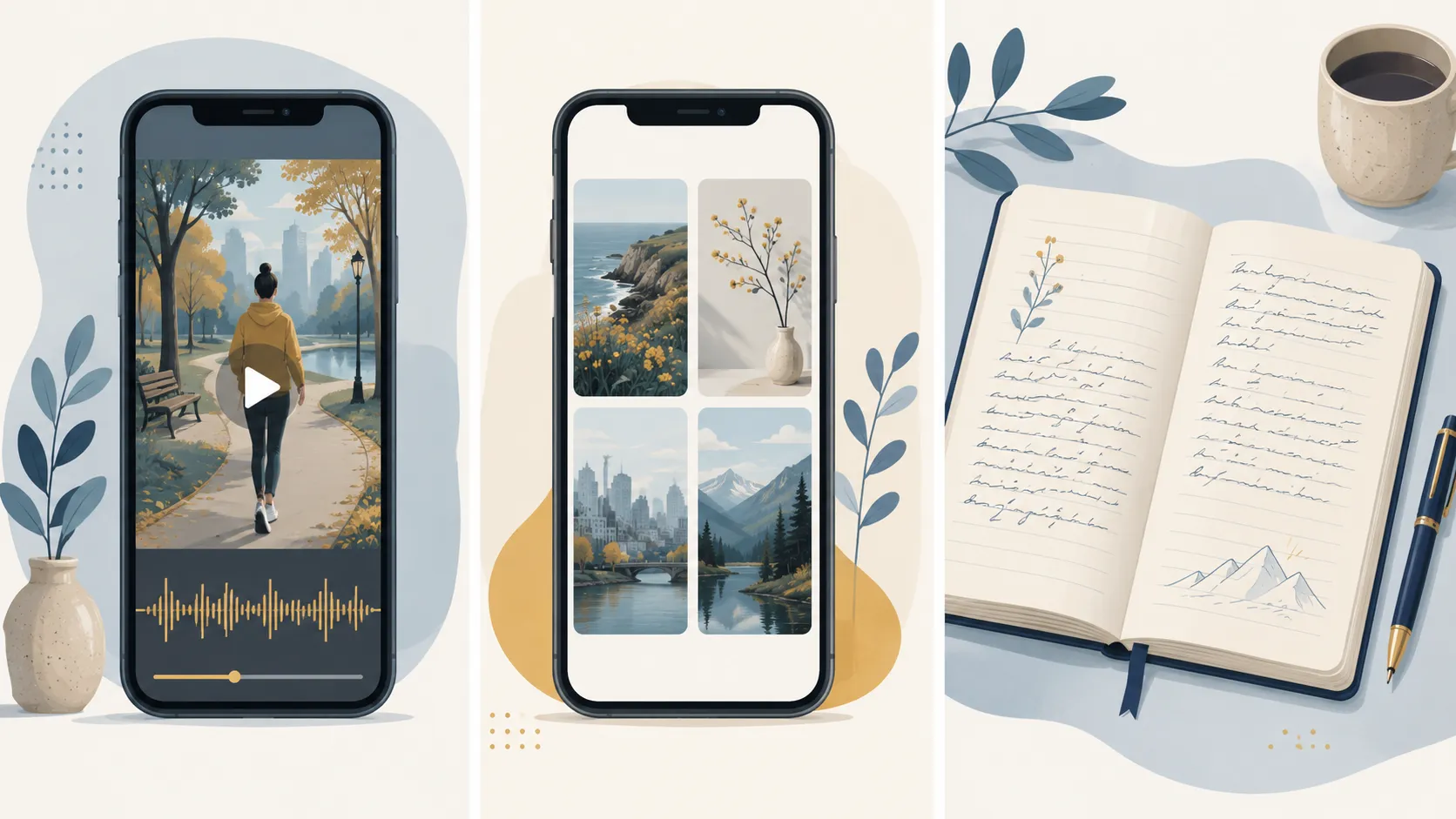
These three formats serve different purposes. Choosing the right one depends on what you want to preserve and how you want to revisit it.
A video diary captures movement, sound, and emotion. It is the closest thing to reliving a moment. Watching a compilation of daily clips from a year ago feels like time travel in a way that photos and text do not. The cost is more storage and slightly more effort to record.
A photo journal is faster to create and easier to browse. A single photo can be taken in a second and scrolled through quickly. But photos are silent and static. They freeze a moment rather than preserving the experience of living it.
A written journal captures your inner world. Thoughts, feelings, reflections. It preserves things that neither photos nor video can: what you were thinking, what you were worried about, what you hoped for. But writing takes more time and discipline, and the result does not trigger sensory memories the way video does.
Many people combine formats. Record a few seconds of video each day for the sensory record, and write occasionally when something needs processing. The tools do not compete with each other.
Frequently Asked Questions
What is the best free video diary app?
One Second Diary is completely free, open source, and has no ads or data collection on Android. Memovi also has a free tier with 3 clips per day and no watermark on in-app playback. Orca and Daylee both offer free tiers with limited features.
How much storage does a video diary need?
At 1080p and 10 seconds per day, expect roughly 8 GB per year of raw clips. Compiled chapters are smaller because the app encodes them into a single file. If storage is a concern, record at shorter clip lengths or use 720p.
Can you keep a video diary private?
Yes. Apps like Memovi and One Second Diary store everything locally on your device by default. No account, no cloud upload, no data collection. If you use an app with cloud backup, check whether it offers end-to-end encryption.
Is video journaling good for mental health?
Research supports it. Expressive writing and self-reflection practices have been shown to reduce anxiety and improve emotional processing. Video journaling adds a visual and auditory dimension that can make the practice feel more natural than writing, especially for people who find blank pages intimidating.
What is the difference between a video diary and a vlog?
A video diary is private by default. You record short clips for yourself, and the app compiles them over time. A vlog is public content created for an audience, usually longer and edited for consumption. The tools, intent, and audience are different.
Do video diary apps work on both Android and iPhone?
Some do, some do not. Memovi, Daylee, Orca, Klokbox, and 1 Second Everyday are available on both platforms. One Second Diary and Snappit have Android versions. Leap Second and Daily Snap are iOS only. Day One covers iOS, Android, Mac, and web.
Getting Started
Pick one app from this list and record your first clip today. It does not need to be interesting. The Harvard research shows that ordinary moments are the ones that surprise you most when you watch them back.
If you want auto-compiled chapters, one-time pricing, and local-first storage, Memovi is available on the App Store and the Google Play Store. The free tier gives you 3 clips per day and your daily chapter built automatically, so you can try it before buying anything.
If you already keep a video diary and want tips on how to start a video journal or need inspiration for what to record on quiet days, we have guides for that too.
The best video diary app is the one you will actually use every day. Compare what matters to you, try a free tier, and start recording. A year from now, you will be grateful you did.

Allison Hewell
LPC-AContributing Writer & Mental Health Expert
Allison is a licensed therapist specializing in trauma therapy. She writes about the mental health benefits of video journaling and building healthy daily habits.
Connect on LinkedIn